If you hang around the blogosphere very much, you’ve probably seen the latest craze – e-books. You write one about something and then sell it for a few bucks. Everybody’s doing it!
So, of course, Jenny and I want to jump on the bandwagon too. I mean, we know… stuff about… stuff, right? That’s why we’re bloggers! In any case, we’ve been throwing around a few ideas and wanted to get your feedback on which one you think we should publish.
Without further ado… our tickets to fame and fortune!
So what do you think? Which one should we go for? I’m leaning toward the sideshow freaks one myself, but I don’t want to hurt Jenny’s feelings. You know how sensitive I am toward her! Hey… that could be another topic. “Why Making Fun of Others is Actually Good for Them (and will make you laugh, too).”
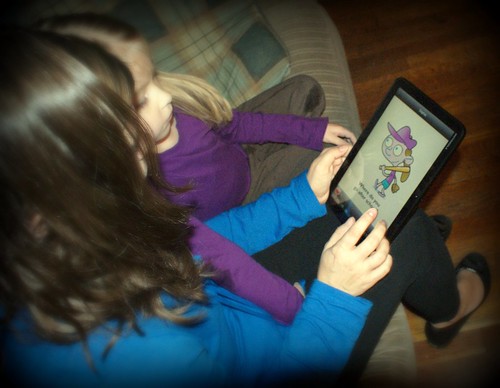
I’ve decided to include some technology-related posts in my series on working with your developmentally delayed child at home. And since I’m currently reviewing a Motorola Xoom for the Verizon Wireless #MidwestMoms, I thought I’d share with you some of the great therapy apps I’ve found for the Xoom!
This past summer Sophie did some speech therapy at a clinic that used an iPad and apps during therapy. I didn’t even know there were apps for therapy, and her providers told me she did really great with them. But we didn’t have an iPad, so I didn’t give it much thought. (I do have one now, which I got about the same time as I got the Xoom. Bobby surprised me for my birthday, because he knew how much I wanted to use therapy apps with Sophie.)
When I got the Xoom, the first thing I did was try to find speech therapy apps for it, but I couldn’t find any right away. I assumed that they just hadn’t caught on for the Android market yet but that they would. But I kept looking and eventually, I did find some, and I was SO excited!! There is a great company called Super Duper Publications that makes speech therapy apps for Android that work on the Xoom. I purchased a couple of these and loved them, so then I contacted Super Duper to see if they would let me review a few more. I still haven’t made my way through all of them, but here are four of my favorites that I’ve used with Sophie so far. These are available for Android, iPad, iPod Touch, and iPhone. They look, sound, and work AWESOME on the Xoom!!!
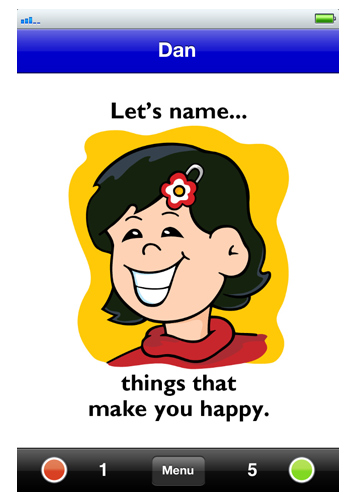
Let’s Name Things: This is a great app for teaching your child that things go into categories. The app is basically 52 picture cards with sounds that reads the card when you touch the picture. Then you and your child can take turns naming things in the category. This is something Sophie and I worked on all summer and oh, how I wish I’d had the app then! It’s just a lot more fun that me saying, “Sophie let’s think of things…” she loves interacting with the app. If you’re a professional, the app allows you to list all your patients or students separately, and email their results at the end of the session! Very, very great for tracking data. (All of the apps I am listing today have this feature.)
card from "Let's Name Things" app
OH, and did I mention that Let’s Name Things is FREE on the Android market and the Apple App store until November 20th?? GO DOWNLOAD IT! Even if your child is not speech-delayed, this app is a great activity to do with them!
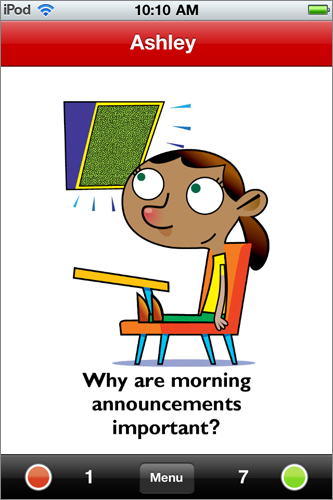
“WH” Questions at School – I love, love, love the “WH” apps (there is one for “Home” also). This is a major thing myself and Sophie’s SLPs have worked with her since she started speech. When she first started speech at three-and-a-half, she was not answering ANY questions, and after she got a grasp on that, the work began on differentiating between the different “WH’ questions. For parents like me, who aren’t therapy professionals, it’s hard to know what questions to ask exactly. These apps take care of that! I don’t have to try and come up with questions anymore, hallelujah! And the app is made so that you can select only the questions you want (for instance, in the school deck, some questions aren’t yet appropriate for Sophie since she is only in PreK.) I can also score her results in this app, and once again, she really enjoys interacting with it. She is really pretty good with her WH questions now and the apps have helped me determine what she knows and what she still needs to work on. LOVE LOVE LOVE.
"WH" Questions at School
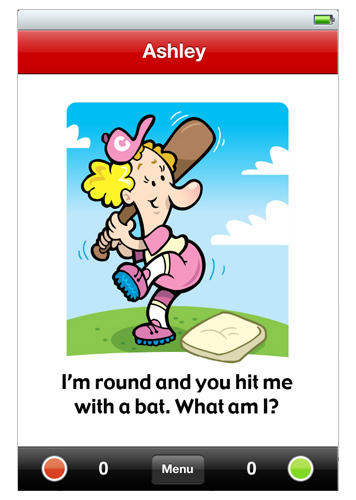
Understanding Inferences – Inferences can be difficult for a speech-delayed child to catch on to. So this app is a great tool to help them develop their powers of deduction. Sophie really likes this one; I think it is fun for her to try figure out the answer. It’s challenging but she’s doing great with it and again, it lets me see what she knows and what she still needs to work on. Like the other apps, it’s easy to use and keep track of the student’s scores and progress.
Understanding Inferences
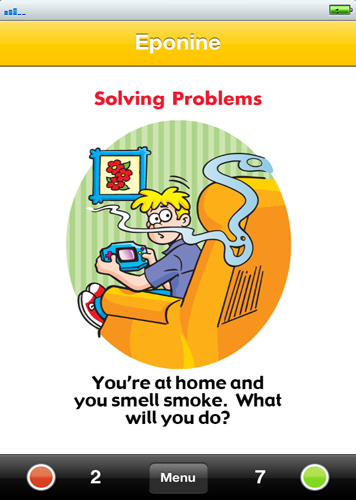
Practicing Pragmatics – This is the first Super Duper app I purchased. Oh my goodness I was so excited to find it! Pragmatics is also something that many speech-delayed kids have to be taught and don’t just pick up naturally. So when I found this app I was pumped, because once again, I am not a professional and I didn’t know what questions to ask and topics to cover. Thank goodness the folks who made this app ARE professionals! Like all the others, it features pictures and voice, and is very easy to use. Sophie and I really enjoy this one together, talking about what the proper response is to specific situations. She is doing great with this one as well, and again it helps me to know what she already knew and what things I need to teach her.
Practicing Pragmatics
These apps look great and work great on the Xoom. I am SO happy to be able to use the Xoom to work with Sophie on speech. I was spending plenty of money not only on therapy, but on books and board games to help her learn certain things. Although buying a tablet to use these apps on is certainly an investment, you can use the tablet for many areas of your life. And the apps are very reasonably priced, topping out at about $5.99. Last year I spent over $20 on a deck of 25 flashcards that were “WH” questions because I just couldn’t find any anywhere. I shudder to think of how much I paid for those! These apps are definitely a much better value. So if you have a device you can get them on, I highly recommend them! I will have more Super Duper app reviews coming soon. In the meantime, you can check out all their apps for Android here (Xoom-compatible!) and a complete listing of their apps for all devices here.
________________
As part of the Verizon Wireless #MidwestMoms campaign, I received a Motorola Xoom and six months of service. Super Duper Publications provided me with two free apps to facilitate this review, and two I had already purchased myself.
A long, long time ago, I had the dumb bright idea to start graduate school. Sam was an infant, I was having an identity crisis… it seemed like a good idea at the time. To me. Not so much to Jenny.
Along the way, I’ve moaned and whined about the entire experience, and you’ve all been there for me. Seriously, the comments on the posts I linked to above? Made me tear up a little.
Despite all my complaining, I managed to finish my coursework in the spring of 2010. A year and a half ago. Since then, the only thing standing between me and the hood I’ve envied for so long was one little thing – my thesis.
I’ve worried about it, put it off, and generally felt bad about it for so long…
But I am so relieved to report that it. Is. Finished.
Not just written – defended. And I passed.
I cannot tell you how glad I am that this thing is over and how much I appreciate your support throughout the whole debacle.
Now, I am going to sleep. (Yes it is 7p.m., what’s your point?)