Bionic vs. X

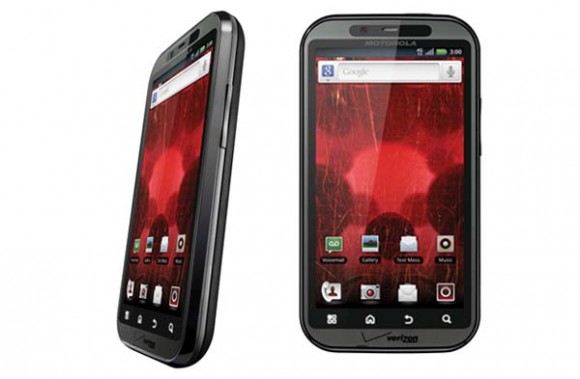
As part of the Midwest Moms promotion with Verizon Wireless, Jenny and I have a chance to check out the brand new Droid Bionic from Motorola. Have you seen the commercials for the Bionic? They make it look like you could time travel using it or something. I already have a Droid X2, and I was interested to see what the big deal was. The first thing I noticed is that the Bionic is slightly smaller and thinner than the X, which I was very glad to see. But…

The big deal? That thing is freaking fast.

The Bionic is on the Verizon 4G LTE network, which is spreading rapidly across the country. Dayton and Cincinnati are both on the network, and from my experience, areas between those two cities are on it as well. It really is so much faster than 3G, it’s crazy. I could immediately tell the difference when I used it for browsing the first time, but when I attempted to keep Sam quiet installed the Netflix app and tuned into some Spiderman educational programming for Sam, the difference was dramatic.

With 3G, the picture is pretty grainy and there’s a lot of buffering time. Not so with 4G LTE! The picture was really clear and the movie loaded quickly without pause. Streaming video on a phone isn’t a necessity, for sure, but it’s surprising how often it’s come in handy for me. Last Sunday I used it to do a pilates video in my grandma’s living room. I got a work out in that day before I consumed a zillion calories at dinner when I definitely wouldn’t have otherwise.

The Bionic is really fast in terms of processing, too. I haven’t experienced many delays in opening apps, making phone calls, etc. The battery life is pretty short, but an extended-life battery for my X made a huge difference and I’m sure it would with the Bionic as well. Overall, I’m pretty impressed with the Bionic!

Post to Twitter

Partyin’ with the LeapPad and TAG reader from LeapFrog

Recently Mom Select gave me the opportunity to host a MommyParties party highlighting two awesome products from LeapFrog: the LeapPad Explorer and TAG Reader! So, after testing the products out with my kids for a week or two, I invited some friends over so the kids could show their friends and I could show my mom friends some of the cool features of these two learning toys.

LeapPad Explorer

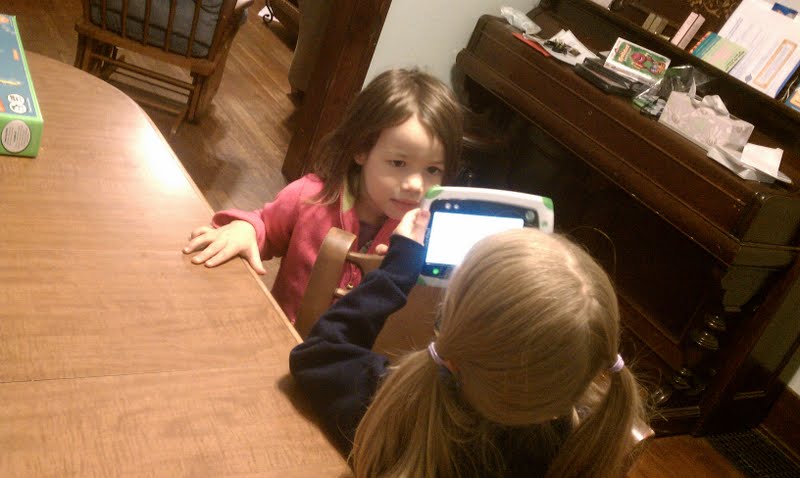
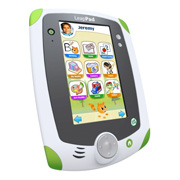
I love the LeapPad Explorer.  It really is an excellent device – not only because of the great games and eBooks available for it, but because of all the creativity it allows kids to get into.  The games are great, the App center is really easy to use, and my kids love it.  What I love most is that they can take photos and videos on it though.  They are having SO much fun with that!  Here is Sophie taking a picture of her friend Ana at the party:

And here’s how the photo turned out:

What’s really fun is that kids can even EDIT the photos they take, and make all kind of creations in the LeapPad’s art studio. So, if you want to make a silly picture of, say,  your little sister, you can!

There’s also a very cool “All About Me” book available for the LeapPad Explorer that your kids can take and upload photos to.  VERY fun!  Not to mention all the cool learning games available to help your kiddo with anything he or she needs to work on, from letters, numbers to phonics and math.  Plus, the LeapPad plays all “Explorer” games, so if you already have a Leapster Explorer, your kiddo can play their favorite games on the LeapPad as well.   You can also download games and eBooks at a wide variety of prices.  If your kiddo did something great and deserves a small reward, there are some apps available for as low as $7.50!

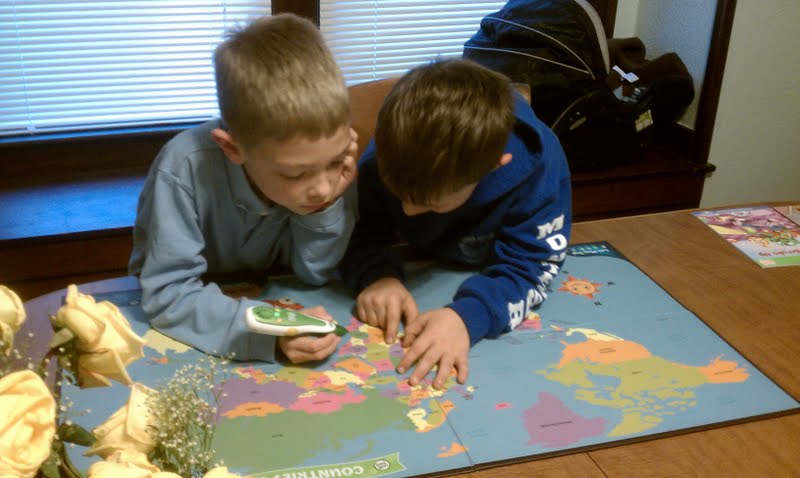
While Sophie and Ana were busy with the LeapPad, Joshua and his friend Will were playing with the TAG Reader and the Interactive Map.  I must say, with all my mom friends, the Interactive Map was definitely the FAVE!  This thing is just too cool.

You can do SO much on this map.  Several really fun games, facts about countries and oceans and continents, that TAG pen is full of great info and fun!  Right after we received this, Joshua had to be tested at school over the continents and the oceans.  The map made studying really fun!  The kids all really enjoyed playing with it.

Here’s a video of my kids playing with it a couple days before the party, just so you can kind of hear and see what it does – oh yeah, and my husband TOOK the video with the LeapPad Explorer! Cool, huh?  It was very easy to load the video on our computer and then just upload it to YouTube.


Go to LeapFrog.com to check out these great learning toys and gear for your kiddos.  I really recommend them both!  Thanks to MomSelect,MommyParties, and LeapFrog for the opportunity to review these products and party with my friends (and my kids’ friends too!)

Post to Twitter

Lands’ End Starfish Collection Giveaway #3!

Woohoo! Time for another amazing Lands’ End Starfish Collection giveaway!  The winner of our 2nd giveaway was another long-time reader MICHELLE !  TO kick off this giveaway, Emily coerced me into making a short vlog about the Starfish pieces I was wearing when I was over at her house the other day – my fave Cowlneck top and fold-over waist pants.  Check it out!

Ok, here’s how to enter to win!  And don’t forget the winner gets to pick FIVE pieces from the Starfish Collection!

1) Go check out the Starfish Collection and leave me a comment letting me know which piece you think looks the best. If you can’t pick one, that’s ok, just tell me what you love!

2) “Like” our facebook page and leave us a comment on this post telling us you did our already do

3) Tweet about this giveaway “Win 5 pieces of the #landsend Starfish Collection from @jennyitup & @momminitup  http://bit.ly/o6a2gZ” then leave us a comment with your tweet URL.

4) Subscribe to our feed, then leave us a comment on this post letting us know you did or already do.

This giveaway will end Wednesday, October 26th at 6pm EST. Good luck!!

Post to Twitter